
Global Stock tracker
DISCLAIMER:
I am not a financial adviser nor a CPA. These web site are for educational and entertainment purposes only. Investing of any kind involves risk. While it is possible to minimize risk, your investments are solely your responsibility. It is imperative that you conduct your own research. I am merely sharing my opinion with no guarantee of gains or losses on investments.
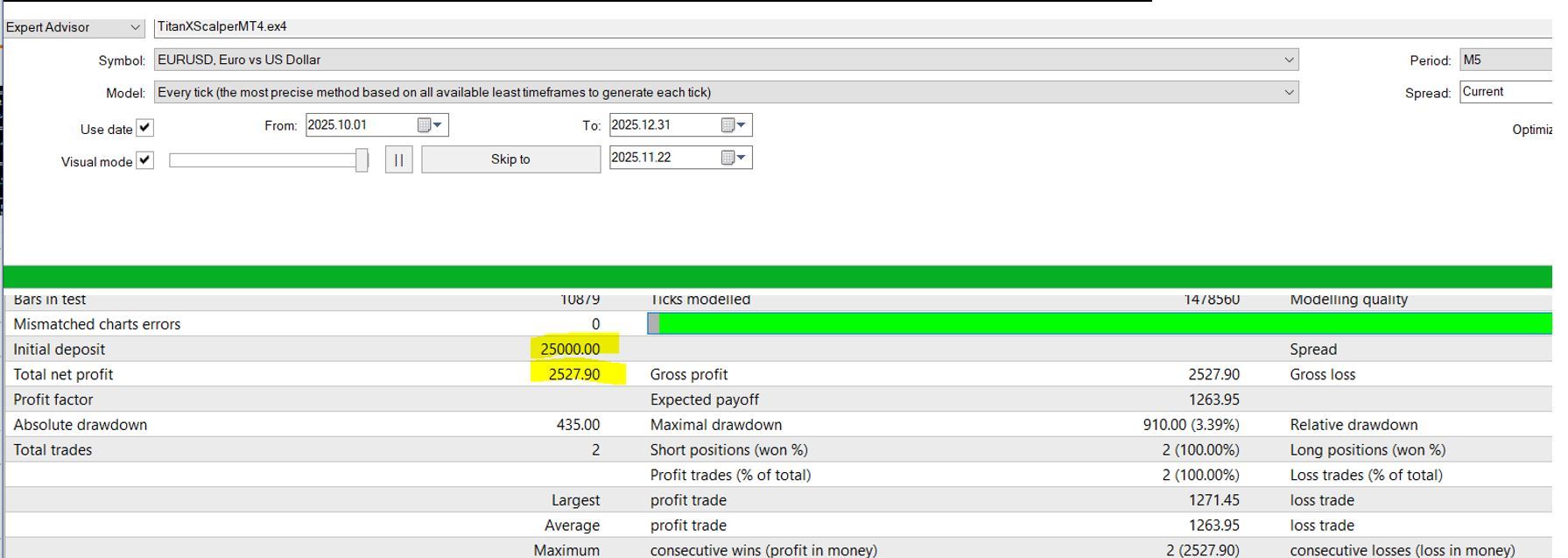
Back testing with TitanxScalper Mt 5 EA.
Expert Advisor: TitanxScalper Mt 5
Pair:EURUSD Spread 37

How to use this Expert Advisor to trade?
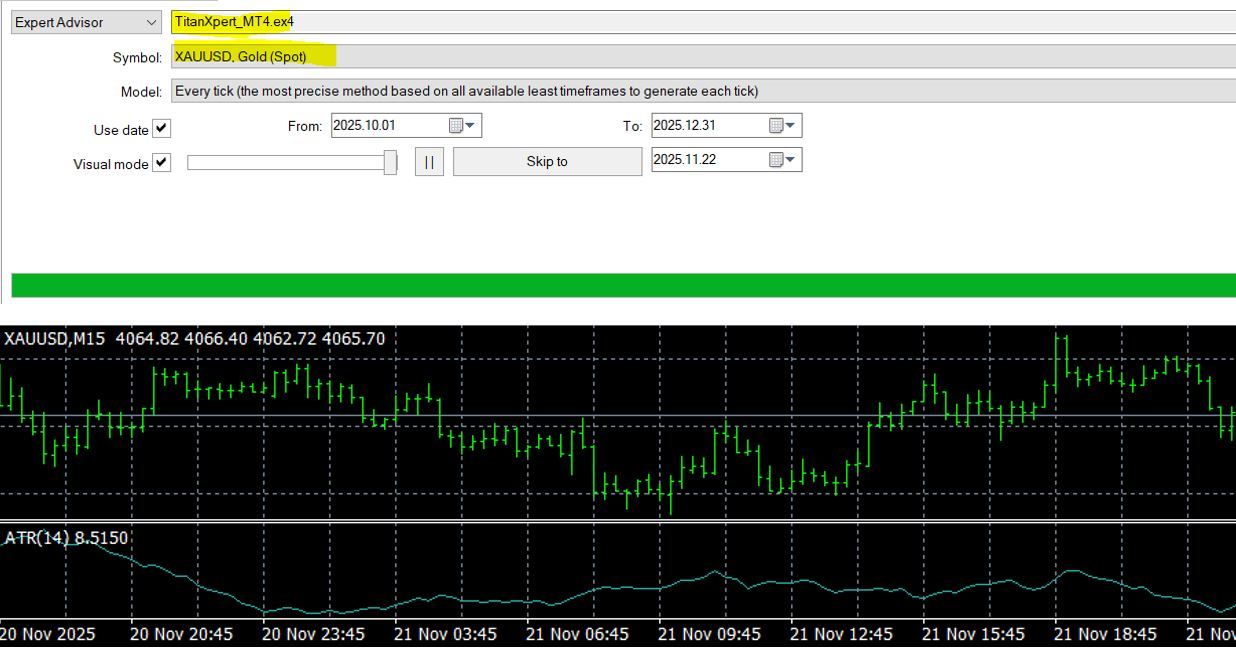
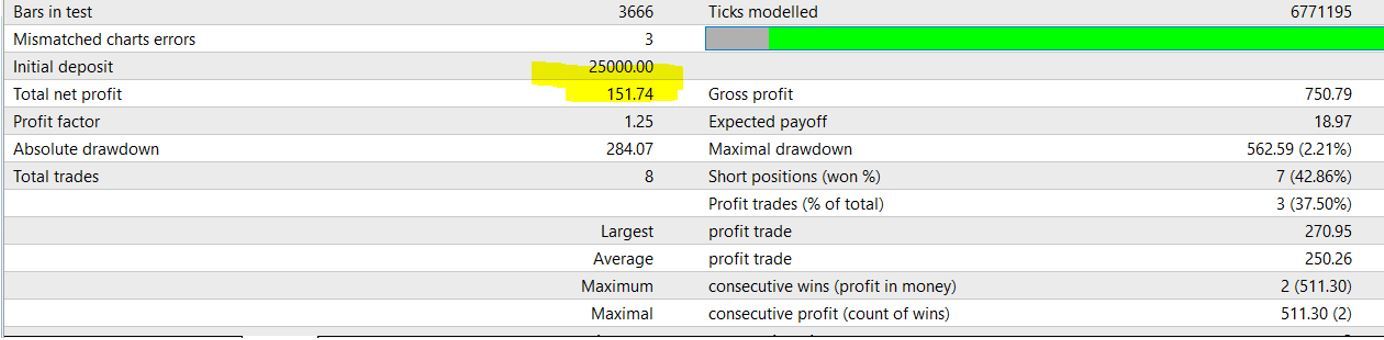
Back testing with Titanxpert Mt 5 EA.
Expert Advisor: Titanxpert Mt 5
Pair:XAUUSD Spread 54
Top 10 FAQs on Using an Expert Advisor (EA) Effectively & Safely
1. What is an Expert Advisor (EA)?
An EA is an automated trading program that executes trades according to predefined strategies. It removes emotional decision-making and ensures consistent execution.
2. How do I install an EA on MT4/MT5?
Open MT4/MT5
Go to File → Open Data Folder
Place the EA file in MQL4/Experts or MQL5/Experts
Restart the platform
Drag the EA onto a chart and enable Algo Trading
3. What account type should I use for an EA?
A low-spread, raw/ECN account is ideal. EAs depend on tight spreads, fast execution, and low slippage.
Examples: IC Markets Raw, Pepperstone Razor, FP Markets Raw.
4. How much capital do I need?
Most EAs work best with at least $1,000–$2,000, but some require more if they use grid, averaging, or scaling strategies. Always check your EA’s recommended minimum equity. Always Backtest EA than on a demo trading account before a small live account.
5. Should I run the EA on a VPS?
Yes — a VPS ensures 24/7 uptime, low latency, and stable execution. It is essential if:
Your EA trades during news
You use scalping
You need low ping to your broker
6. How do I choose safe risk settings for an EA?
Follow the 1–2% rule per trade unless your EA specifies otherwise.
Avoid:
oversized lot sizes
martingale settings
unlimited grid levels
no stop loss
Always test smaller risk first.
7. Why is backtesting important?
Backtesting helps you understand:
drawdown levels
win rate
risk-to-reward behaviour
how the EA performs in different market conditions
Use 99% ticks data for accurate tests.
8. Can I leave my EA running 24/7?
Yes, but with conditions:
Run it on a reliable VPS
Ensure your broker has no weekend gaps that cause issues
Restart MT4/MT5 weekly to clear memory
9. What safety features should I look for in an EA?
A safe EA should include:
equity protection
daily loss limit
max drawdown stop
spread filter
news filter
trade frequency control
If any of these are missing, you must monitor closely.
10. When should I stop or pause the EA?
Pause the EA when:
High-impact news events occur
Market conditions drastically change
You notice drawdown beyond your comfort level
Broker spreads spike or execution becomes unstable
You need to adjust parameters safely
This following Expert Advisor is free to down to use on 1 demo or Live Trading Account.
Any additional License will require payment to our developer.
1.TitanXpertlicense_MT5/15Min TimeFrame
"EURUSD,GBPUSD,USDJPY,XAUUSD,AUDUSD,NZDUSD,US30"
2.TitanXScalper_MT5/5Min TimeFrame
"EURUSD,GBPUSD,USDJPY,XAUUSD,AUDUSD,NZDUSD,US30"
Resources information( Some links Below are Affilate links)
1.How to attached a Expert Advisor to your Metatrader 5 trading software? Click Here